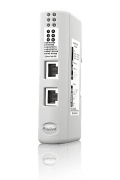
Ethernet/IP Linking Devices
Why use a Linking Device instead of an in-chassis or PLC communication module?
Improved system architecture
Contrary to an in-chassis module which is physically connected to the PLC, the Linking Devices can be mounted close to the connected machine. This means that it is possible to establish a connection via a single Ethernet cable instead of multiple network specific cables. The Linking Devices support ODVA’s Device Level Ring (DLR) for ring topology.
Easier configuration
In-chassis PLC communication modules often require several rungs of ladder logic or function blocks to be written. Integrating this into the already existing code significantly increases the time to complete projects. With an EtherNet/IP Linking Device from HMS, you can access PROFIBUS, Modbus-TCP and serial protocol configuration through your existing Studio 5000 software.
Maximize performance
Since the Linking Devices are stand-alone (distributed), they do not affect PLC backplane performance (PLC execution time), even when large amounts of data is transferred. The PLC simply scans the Linking Device as any other I/O device on the network. This is especially relevant for the PROFIBUS and Modbus-TCP versions which allow for “big data.